
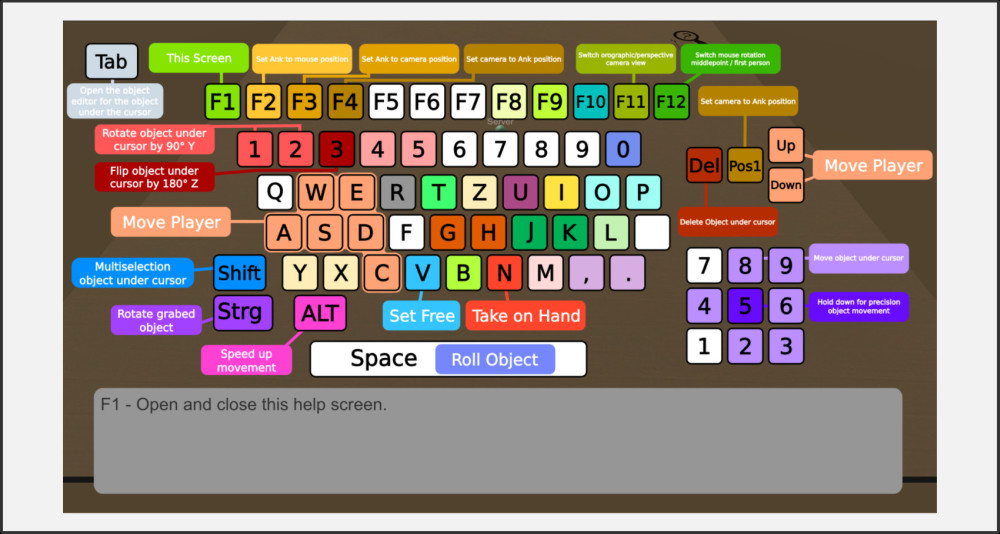
Always remember that you can access this help at any time via the main menu. You can show and hide a quick key overview with F1. Move the mouse pointer over a key to find out more about its function.
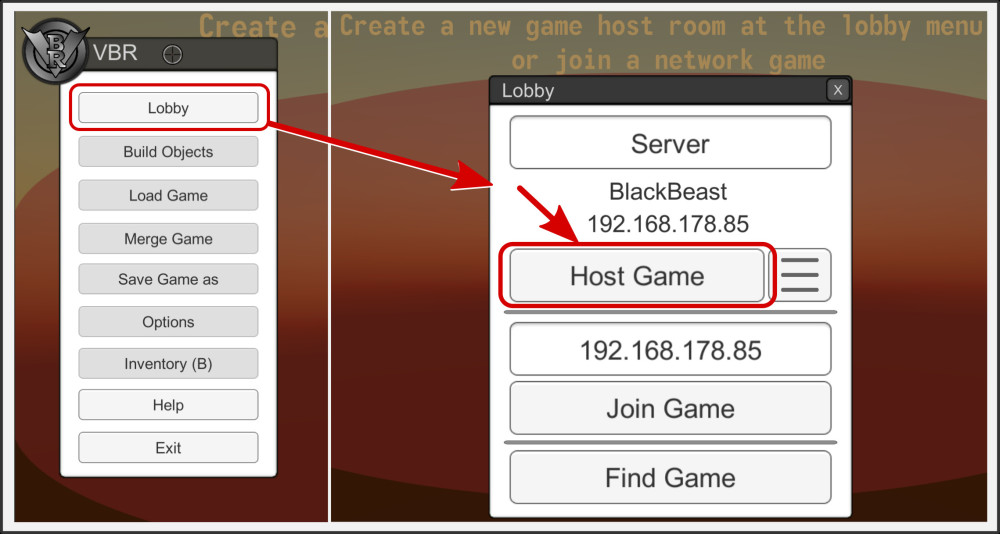
To create a new room in which new games can be created, loaded or edited, you must always start a host.
To do this, go to the lobby and press Host Game. You will immediately find yourself in an empty room that other VBR users in your network can also enter.
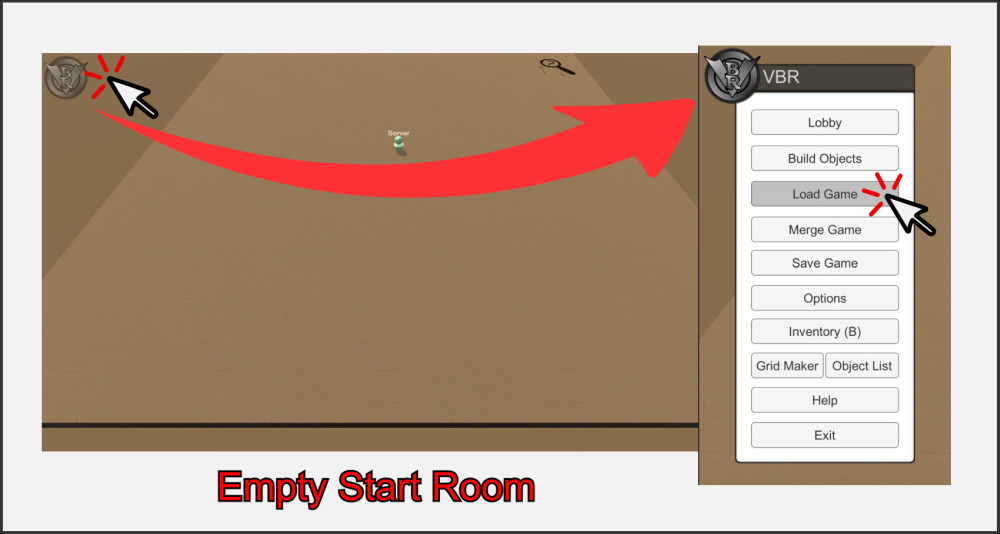
Everything starts in an empty room that you can fill with game material and friends. For a quick start, go to the main menu and load a pre-installed game.
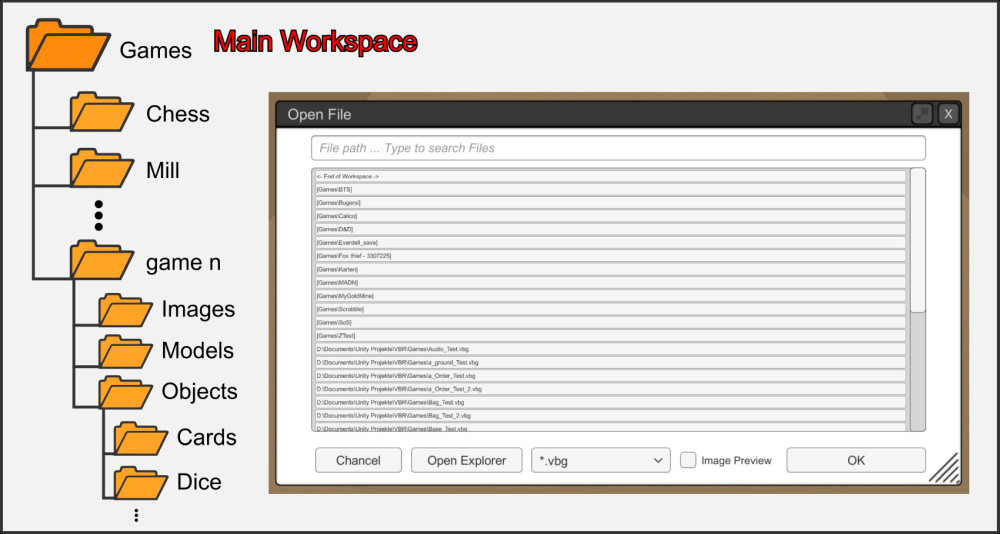
You will find yourself in your workspace. VBR processes data exclusively in this file area, which is always located in the Games folder in the main directory of VBR.exe. We recommend that you create a clear folder structure for managing your games. Once you have started creating a game with its elements, you should not change this structure. A good idea is to create a separate folder for each game in the workspace. Use the Open Explorer button to organize the files and create new folders.
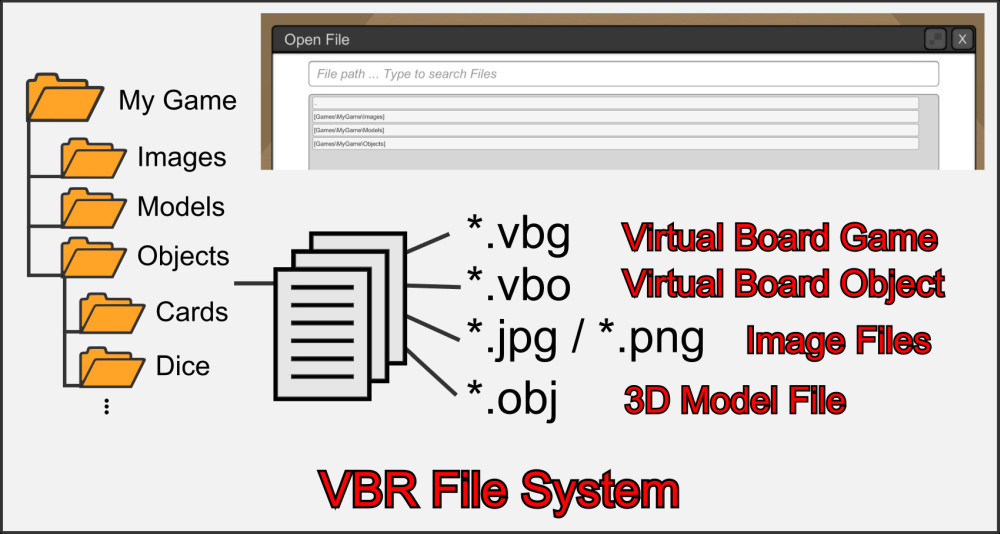
VBR uses different file types to represent different data.
- *.vbg are files that store an entire room with all objects and settings in one file.
- *.vbo files contain data of a single object
- *.obj files contain 3D data
- *.jpg/*.png contain image data for textures.
VBG files – Virtual Board Game
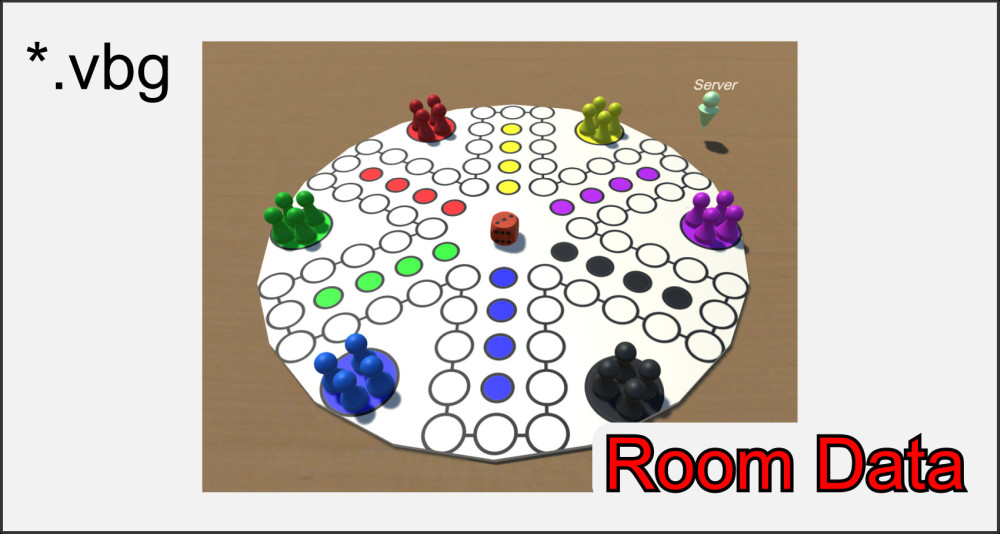
This main file stores a complete room with all its objects and options. Only the objects with their properties and the paths to any image and 3D files are stored. Textures and 3D data must still be located in their previously defined path and are not stored directly in the *.vbg. Keep this in mind when organizing your game data.
VBO – Virtual Board Object
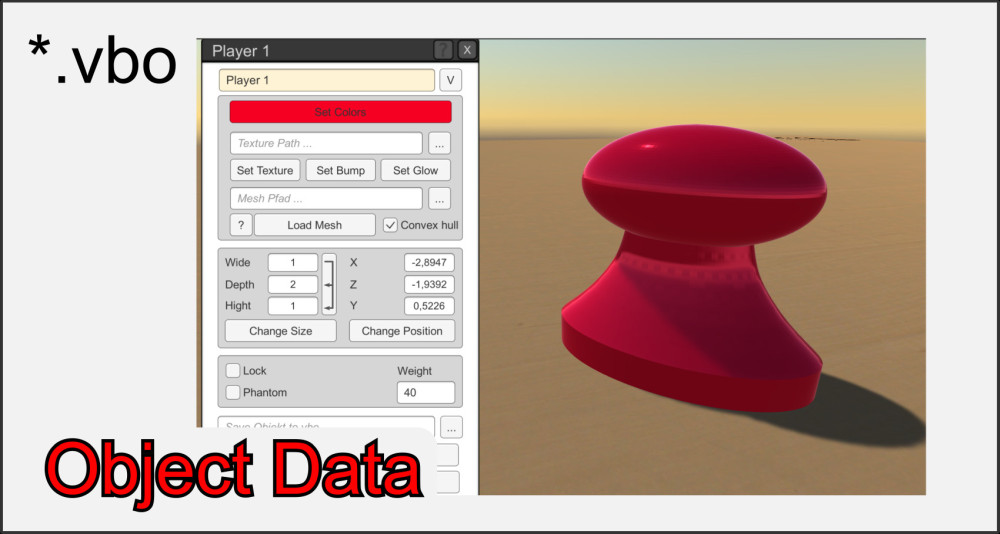
*.vbo files contain the information for a single object and its properties. You can adjust these properties in the object editor and save them there in a *.vbo.
At various points in VBR it is possible to easily load these files back into a room and process them. This is particularly useful for complex figures that need to be loaded often. As with the *.vbg files, only the paths of the textures and 3D data are saved here.
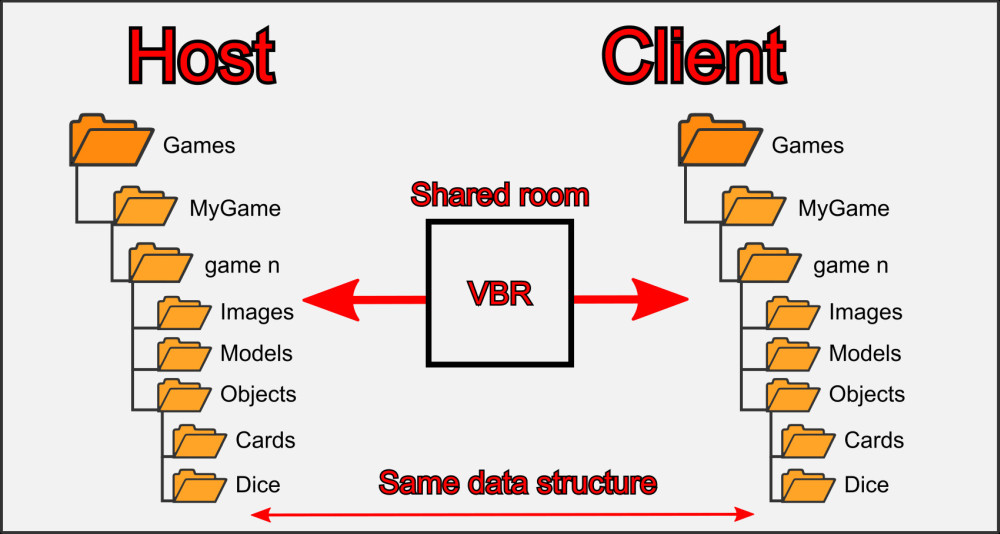
If there are several players in a room, it is important that all clients have the same resources (textures, 3D models, *.vbg) in the same data structure as the host in order to ensure a uniform gaming experience.
When you create a new game, put all the data in a separate folder and distribute a copy of this folder to all future clients with whom you want to play the game.
Please pay attention to copyright when sharing games from other manufacturers.

