
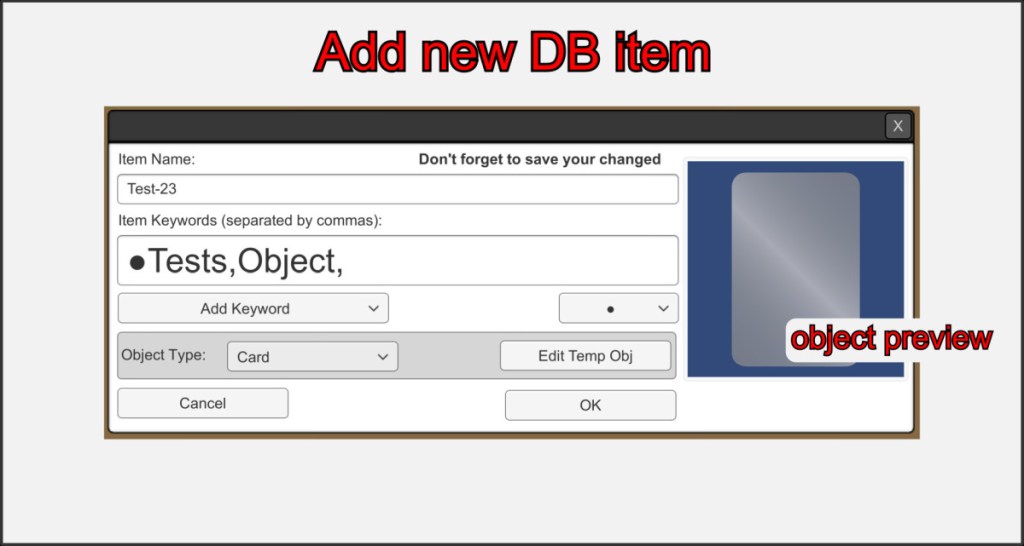
When you add a new object to your database, choose a unique name. Only one object in a database can have the same name. Mark your new entry with keywords, which will help you to filter your entries later.
If you select a prefabricated object under Object type, this object is created in the folder of your database file *.ddb and is given the name of your new entry. So make sure that you have created or loaded a database before adding objects, otherwise the objects will be stored in your main VBR folder.
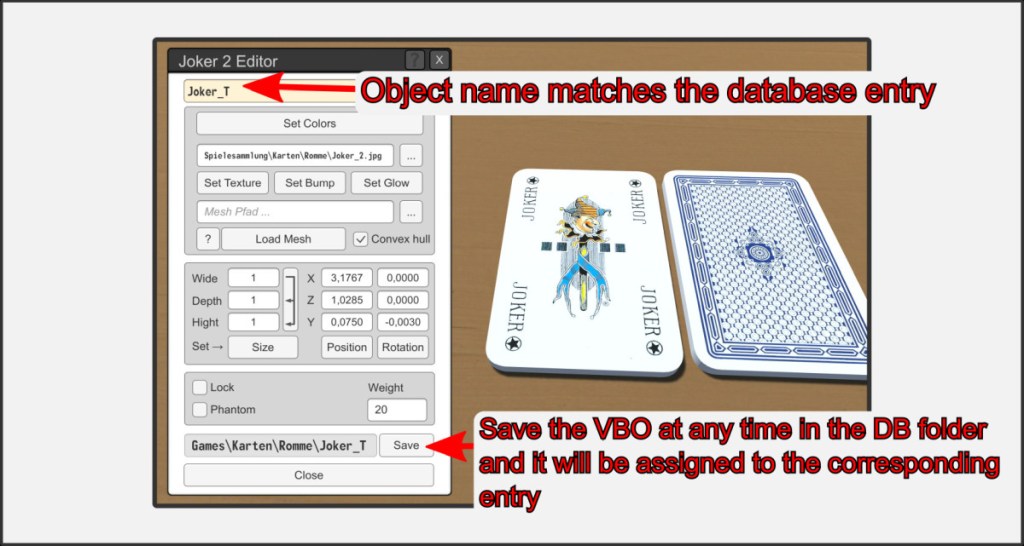
Remember that you can only create a VBO associated with an entry when you create a new entry.
If you want to assign a VBO to an entry in your database later, create an object in the VBR in the usual way and save it as a VBO in the folder of your database under the same name as the corresponding entry. The link is then created automatically.

