
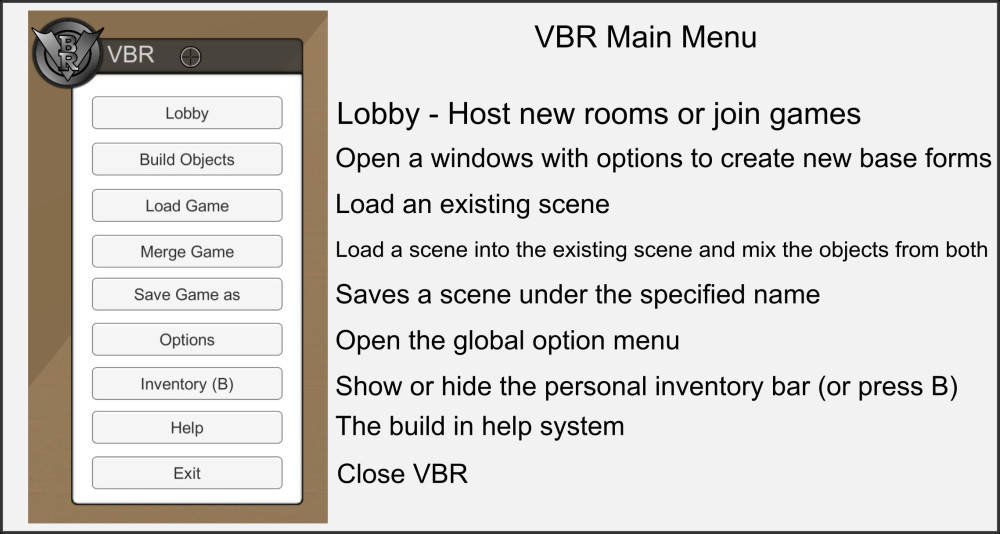
Open the main menu via the hidden button in the top left corner of the screen. It appears when you move the mouse cursor over it.
Most submenus can only be used with a running room.
- Lobby: Create or enter virtual rooms.
- Build Objects: Opens the construction menu where you can place new base objects in a room. See the help for Build Objects.
- Load Game: Loads a previously saved game from a *.vbg (Virtual Board Game) or *.vba (Virtual Board Archive) file.
- Attention! The objects of the current scene will be deleted. If necessary, save the scene beforehand.
- Merge Game: Merge a previously saved game from a *.vbg (Virtual Board Game) or a *.vba (Virtual Board Archive) file. All objects of the current scene are retained.
- Save Game: Opens the save menu to save the current scene. It is strongly recommended to use the extension *.vbg (Virtual Board Game) for games.“,
- Options: Opens the menu for global options, which contain the entire room or system settings of the VBR.
- Inventar: Opens or closes a player’s personal inventory bar. You can also use the quick selection button B for this.
- Help: These help pages.
- Press the F1 key at any time to display an overview of all hot-keys.
- Exit: Closes the current room and ends VBR. Attention! All unsaved content will be lost.

