
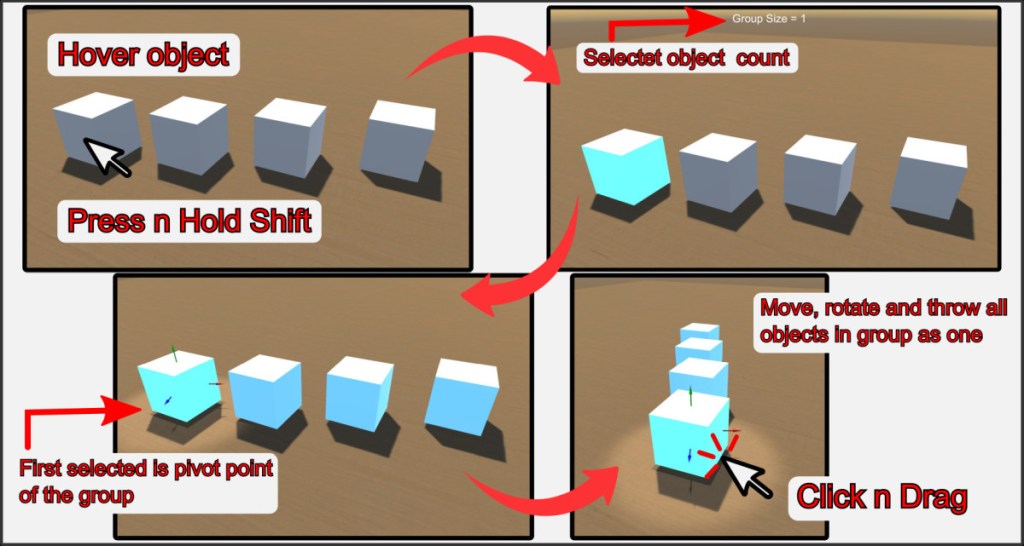
You can select multiple objects, which then form a group that can be moved, rotated, and thrown like one object. To do this, hover the mouse cursor over an object you want to add to the group and press the Shift key. You can also hold down the key and move the mouse cursor over other objects.
All objects that have been selected are marked with a blue frame. Pick up the group with the LMB like a single object and move it around the room, rotate it, or throw all the objects in the group into the air.
Release the LMB to set the group down and dissolve it at the same time.
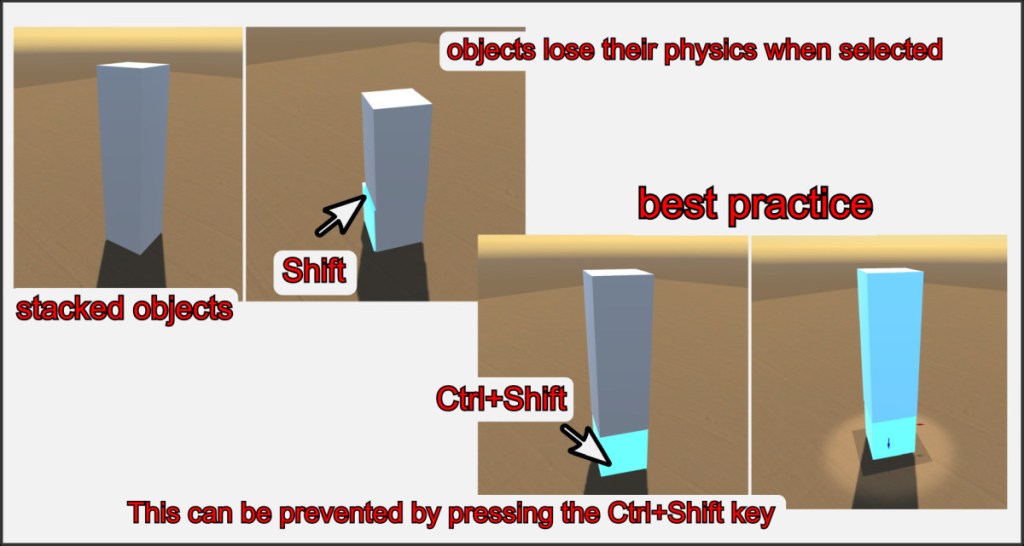
Objects lose their physical and collision properties in the selection group. Objects on top would fall through the ones below. To avoid this, press and hold Ctrl+Shift to mark such critical objects. It is always best to mark objects from bottom to top using this technique. Note that the objects retain their collision properties and could knock over other objects when moved.
Tip: Pressing the ALT key adds the object under the mouse pointer and all objects below it to the multiselect list one after another. This is useful when you want to select and move stacks of objects, such as playing cards, all at once.

