
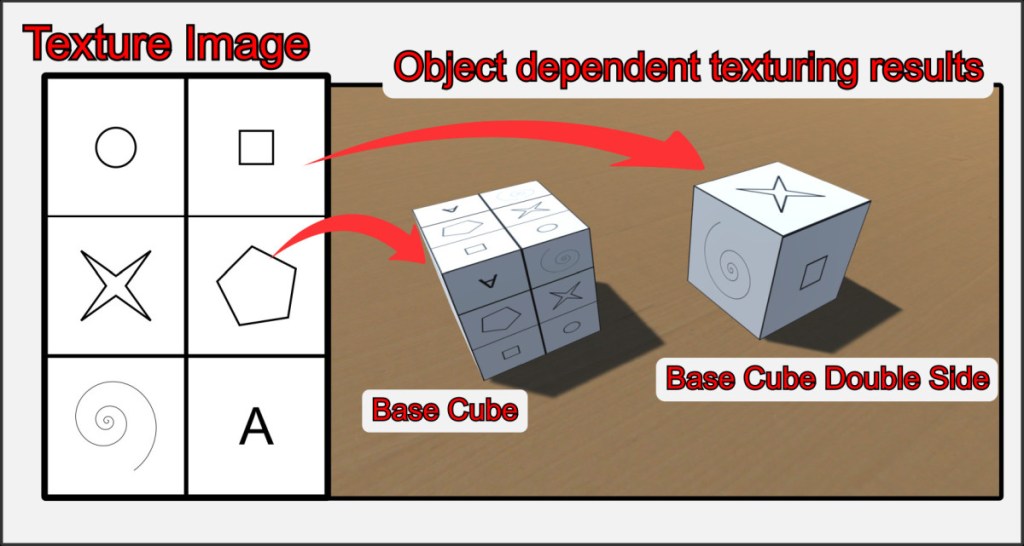
In VBR, every object has a UV map, which determines how a texture is mapped onto the 3D shape. The UV maps of the integrated basic objects are fixed and cannot be changed by the user directly in VBR. External tools such as Blender are required.
In the BTS (Basic Textures and Shapes) subfolder you will find templates for all of these objects, which you can use to create your own, suitable textures.
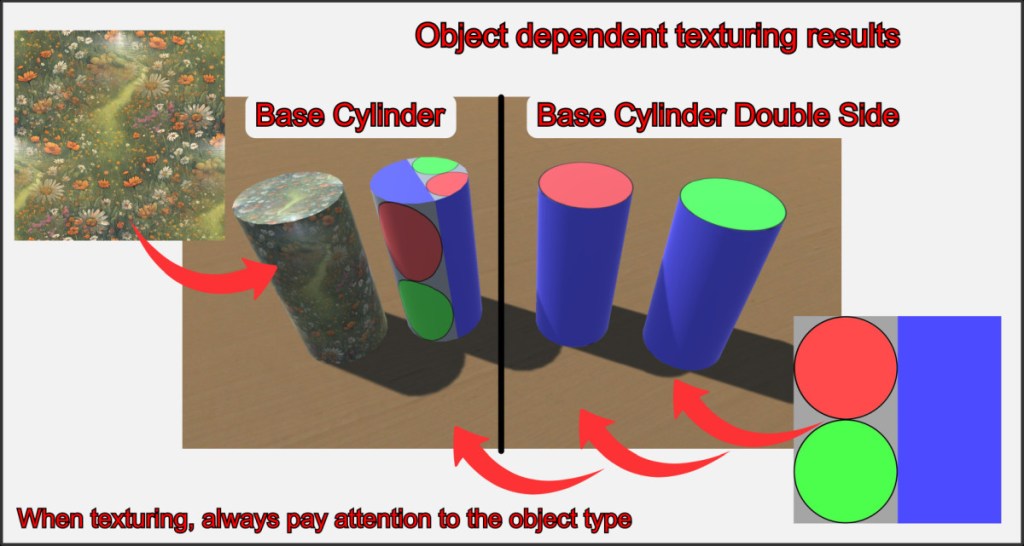
The templates have the same name as the objects in the build selection and are available as vector graphics (*.svg) and as PNG files. Experiment a little with different textures and see how the different object types react. You can sometimes achieve amazing effects with unusual settings.
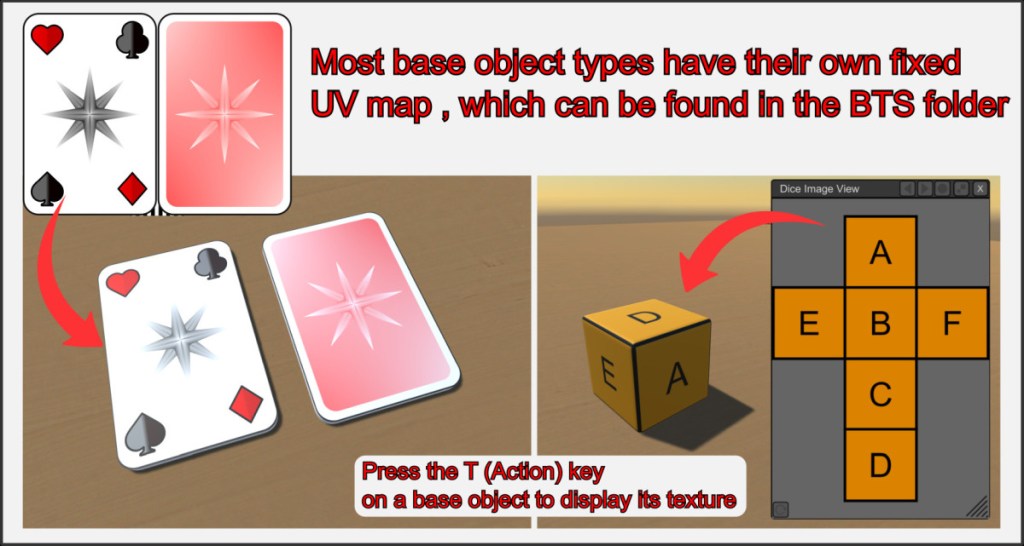
The predefined UV maps of complex objects are usually simple and logically structured. The respective texture only has to correspond to the proportions of the UV map.
The resolution of the images is up to each user. High resolutions lead to large files and longer loading times, but also significantly improve the visual appearance of games.
To create UV maps for your own, imported 3D objects, see the corresponding section in this help HERE.

