
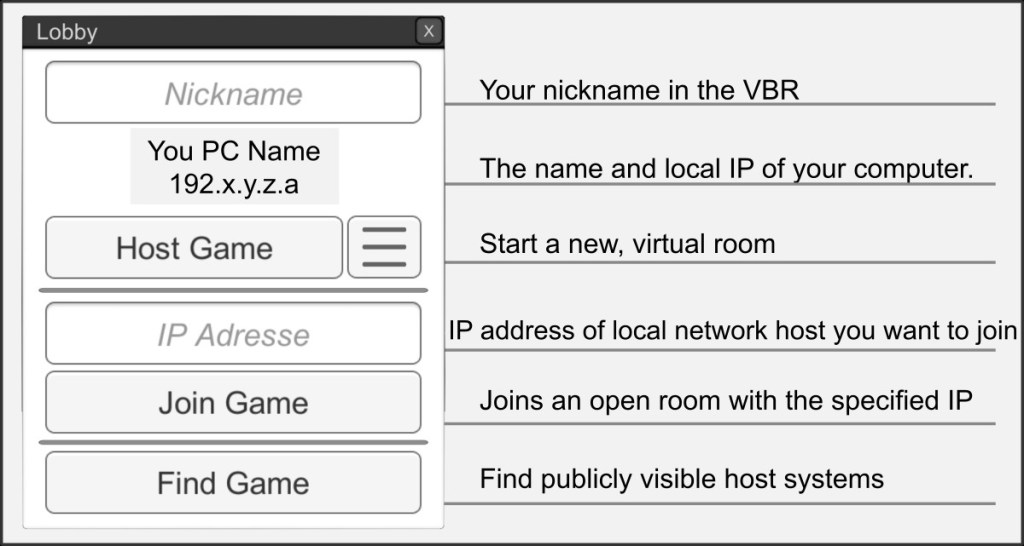
In the lobby, you can create new rooms, join existing rooms in the network or publish rooms. If you are already in a room, room information is displayed here.
Nickname
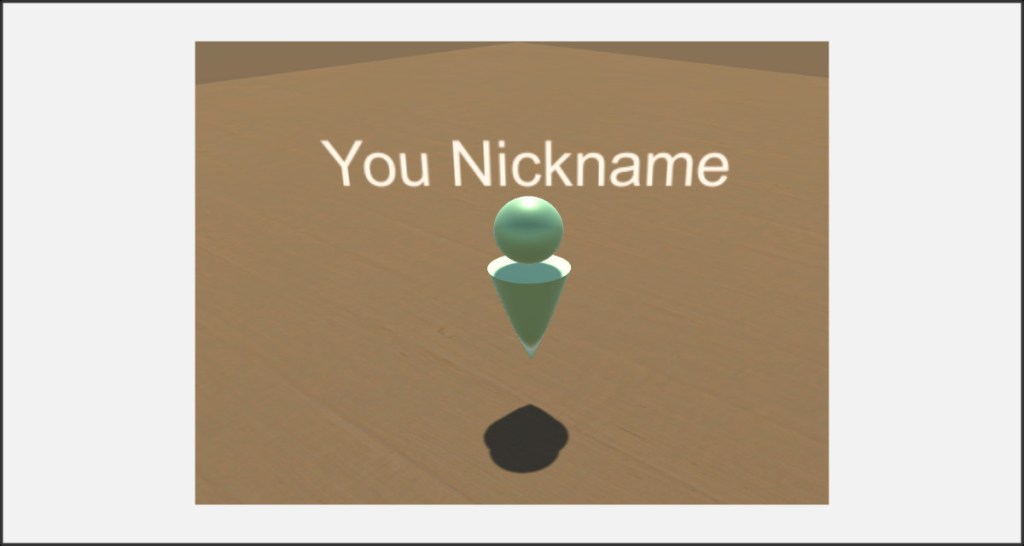
Your nickname will be displayed in a room, visible to all participants, above your Ank.
Computer Name / IP
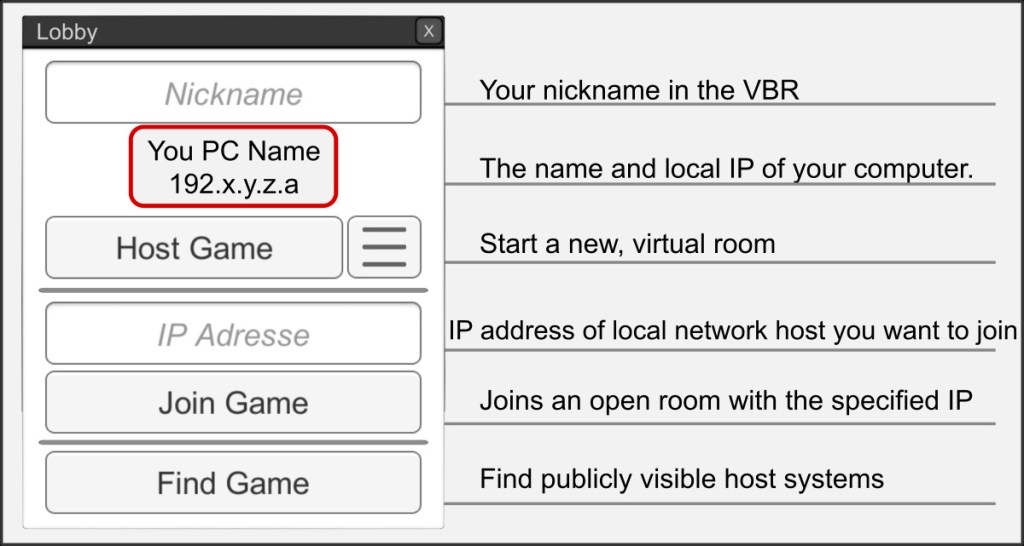
Other players can join your hosted room using your computer name or IP. This applies primarily to local networks. Please follow the instructions for providing a room via the Internet (www) on the corresponding help pages.
Host Game
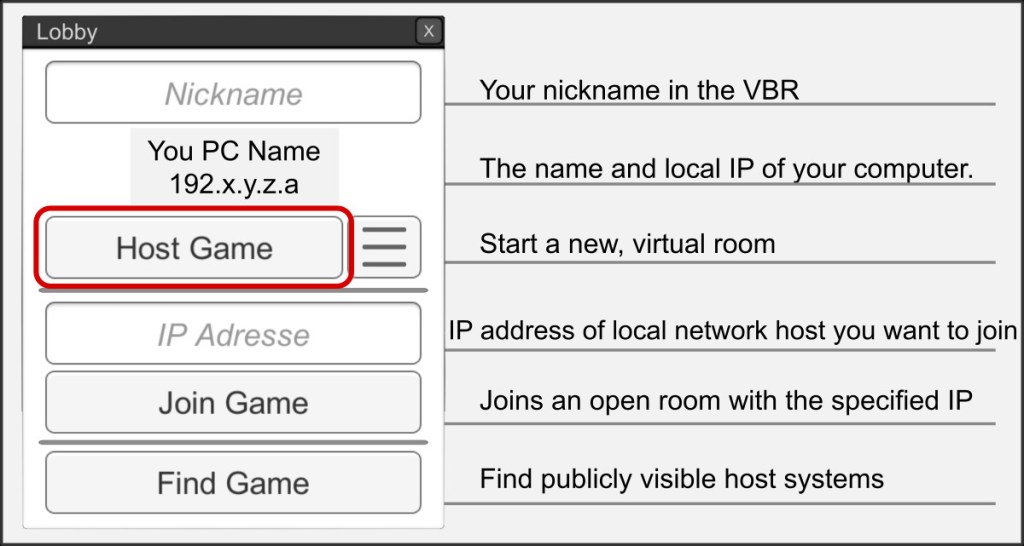
Create a new room or use the advanced settings to publish a room on the VBR server. Note the help, readme and notes there.
Advanced Host Settings
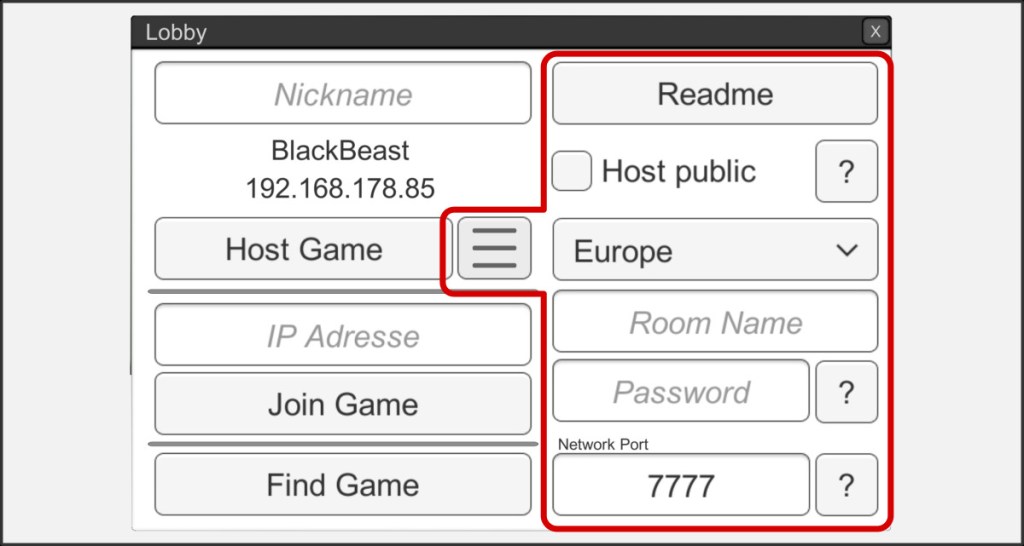
Settings for a publicly visible host can be made via the extended host menu. Please refer to the help for the individual options.
Join Game
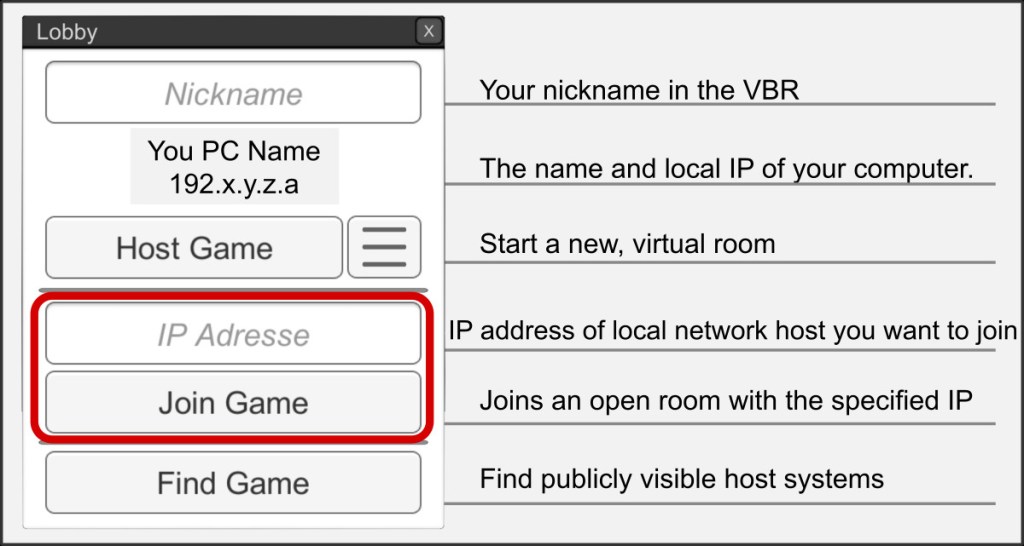
You can enter rooms opened by other hosts if you know the host device name or the local IP. Consult with the person providing the host. Enter the corresponding address and press the Join Game button“
Find Game Worldwide
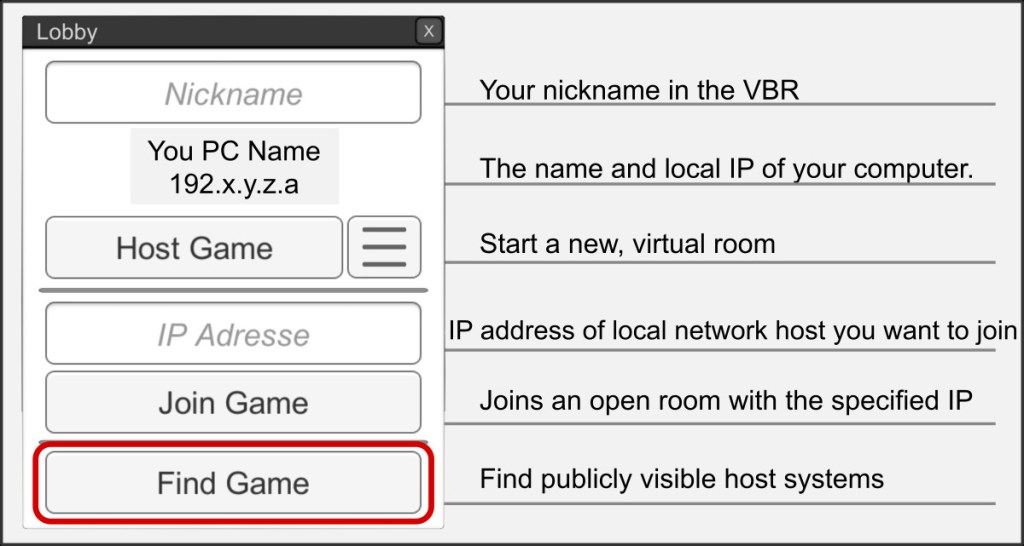
Opens the VBR Server view, in which all publicly visible host systems are listed. Only enter rooms that you trust and whose host you know.

