
Video Tutorial
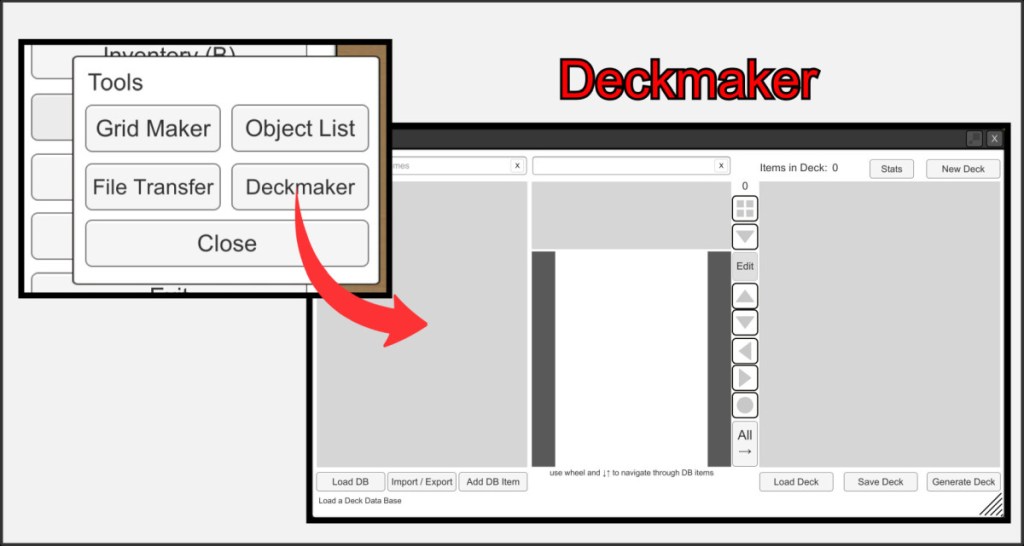
The Deckmaker is a tool that allows you to create and manage your own object databases and quickly create bundles of objects in the VBR. It is of course best suited for managing decks of trading card games.
You can find this function in the main menu under Tools.
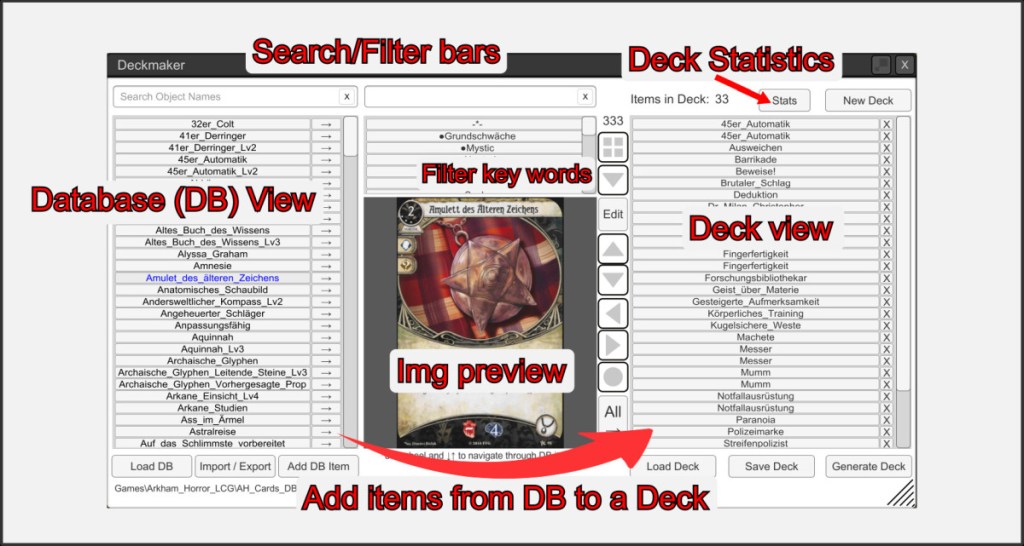
The overview is divided into two sections. The left-hand database view, in which all your objects can be listed and managed, and the right-hand deck view, in which you can compile a generatable staff of objects from items in your database.
You can search the database view or filter with keywords. For more information, see ‘Structure of a database’ in the help section. Click on the small arrow next to a database entry to move it to your current deck.
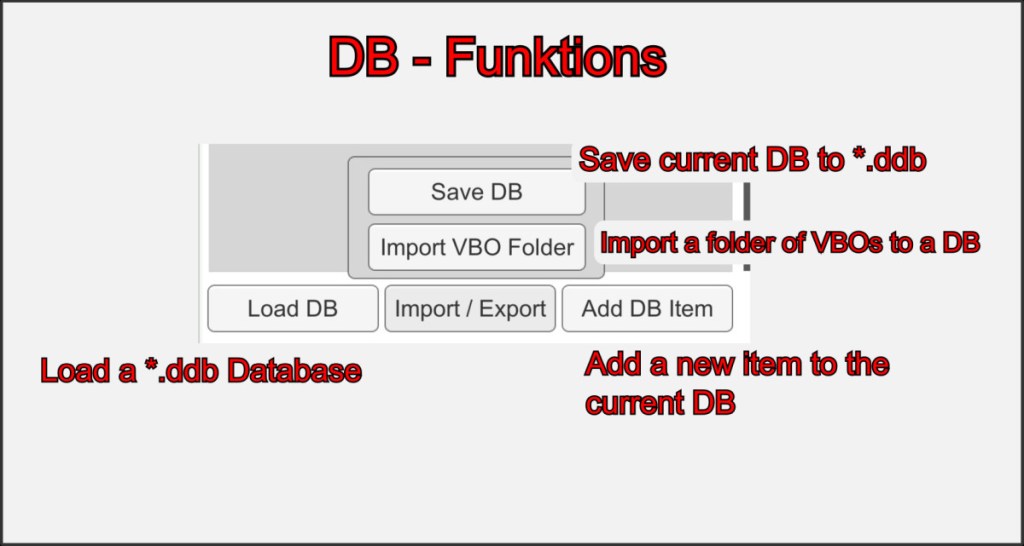
You can load and save your database and add new objects. Remember that you can also create database entries without an associated VBR object. Of course, these cannot then be generated. You can add VBOs to your database at any time.
It is also possible to create a database base from a folder of VBO files using the import function. This is a good starting point for a new database.
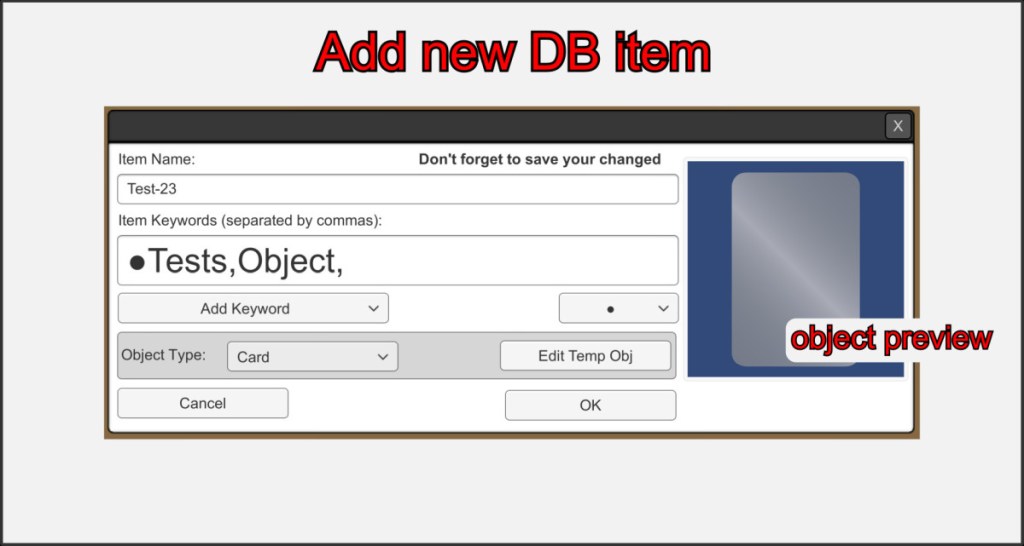
When you add a new object to your database, choose a unique name. Only one object in a database can have the same name. Mark your new entry with keywords, which will help you to filter your entries later.
If you select a prefabricated object under Object type, this object is created in the folder of your database file *.ddb and is given the name of your new entry. So make sure that you have created or loaded a database before adding objects, otherwise the objects will be stored in your main VBR folder.

