
Video Tutorial
Transform Spinners to Gears
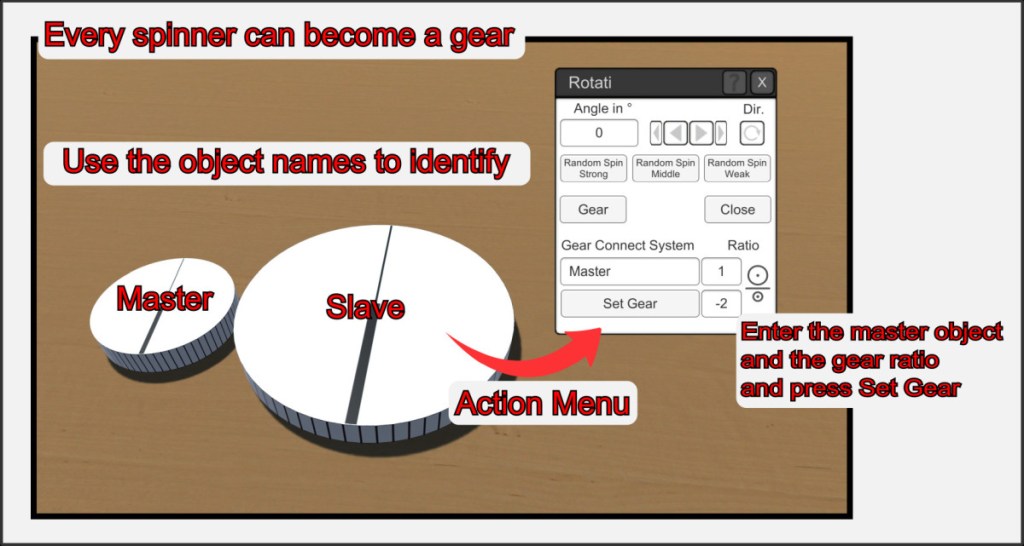
You can turn any spinner into a gear object and link its Y axis to other objects. The master object can be any object type, but it is usually advisable to use a second spinner for this.
Open the action menu of the slave object, expand the gear menu and enter the name of the master object and the gear ratio.
Press the Set Gear button to set up the link.
Observe the physically correct running direction for the gear ratio and set it with a negative value in one of the two ratio fields.
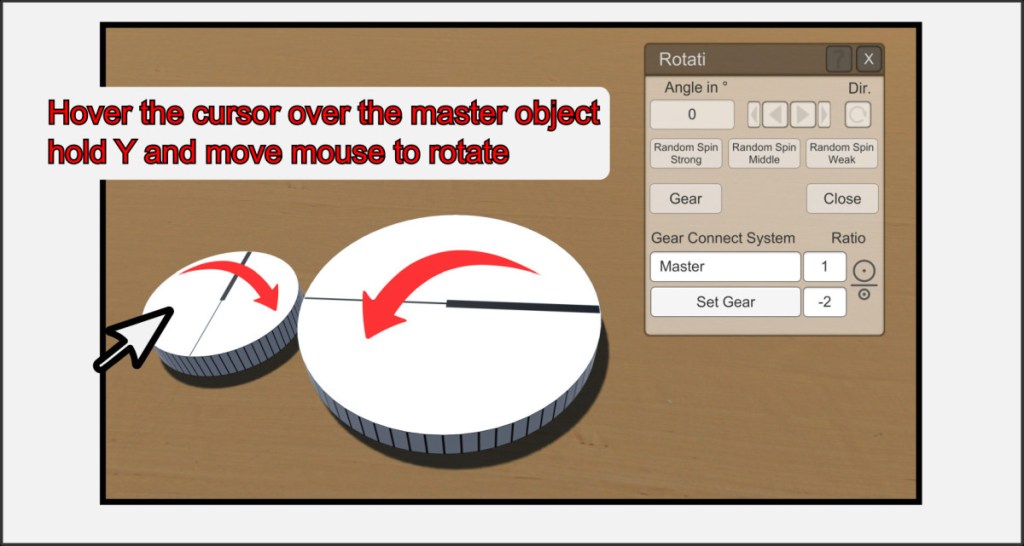
If the master object is rotated around its Y axis, the linked object follows this movement according to the translation, regardless of the position of the two objects in relation to each other. The result is a gear simulation. A master object can control any number of slave objects.
You can release the connection again by leaving the name field in the Gear options empty and pressing the Set Gear button again.
Shape the special objects to rise the illusion
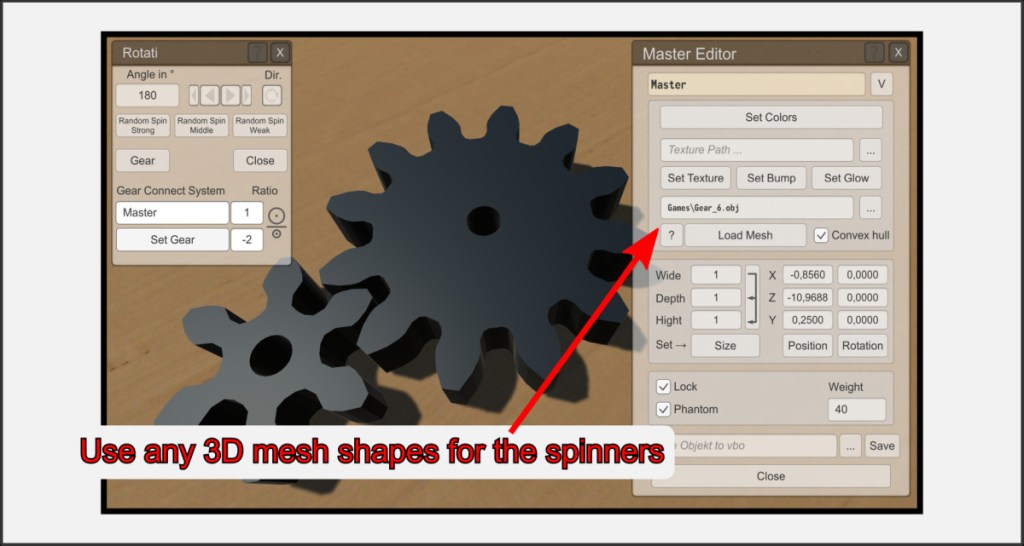
You can give the spinner objects any shape you like via their object menu and thus complete the illusion of physical mechanics.

