
Video Tutorial
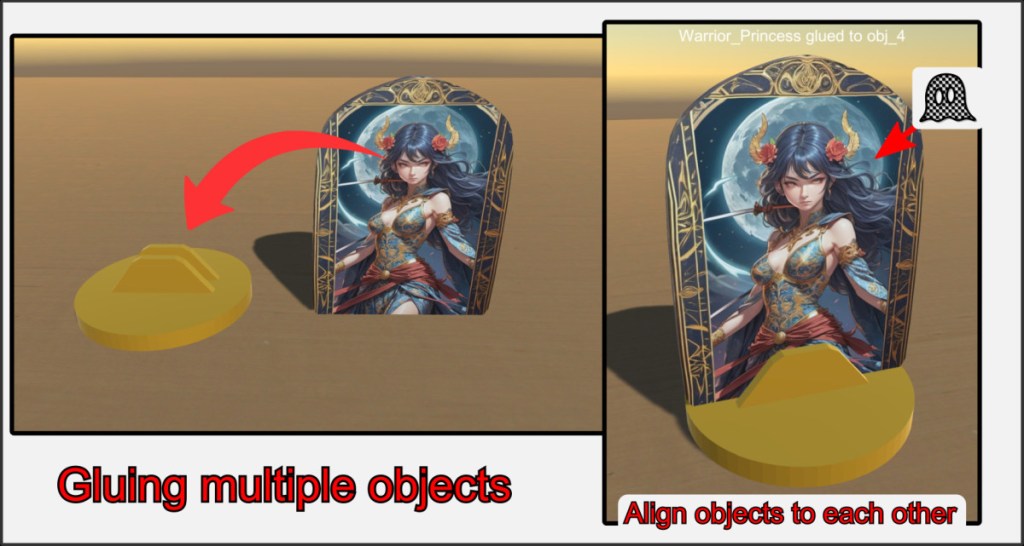
It is possible to connect several individual objects together. This is useful for creating simple, combined objects, or for organizing objects that are dependent on each other. Align the objects to be glued together. It is useful to set one of the objects to Phantom for this. Use fine positioning via the number pad keys or in the object editor.
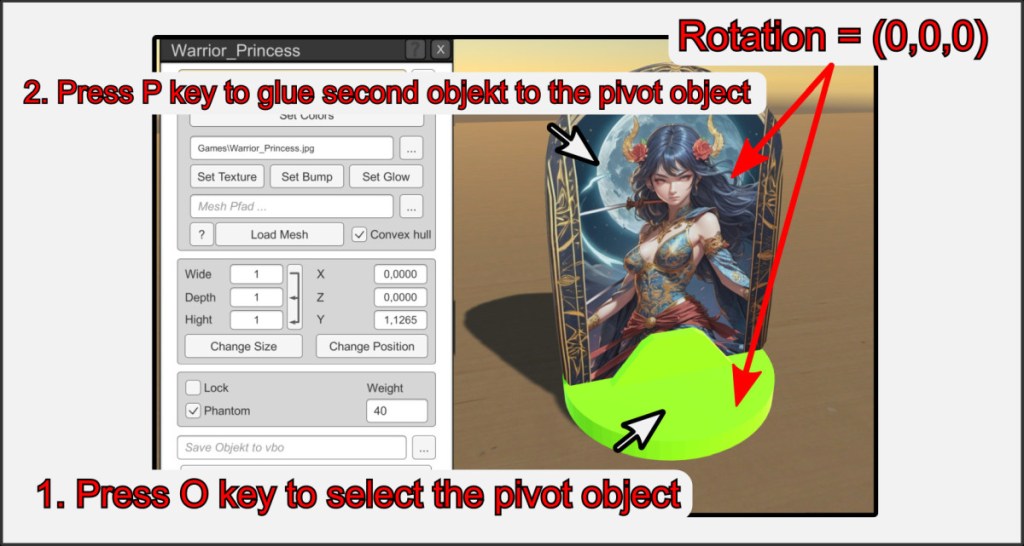
It is best if the objects do not have a rotation while gluing (Alt+R to reset).
- Move the mouse pointer over the first object that is to be used as the pivot or main object and press the O key (set pivot). The object is highlighted in color.
- Now move the mouse pointer over the second object and press the P key (bound second) to bind it to the pivot object.
To unbond, move over the SECOND object and press the P key again.
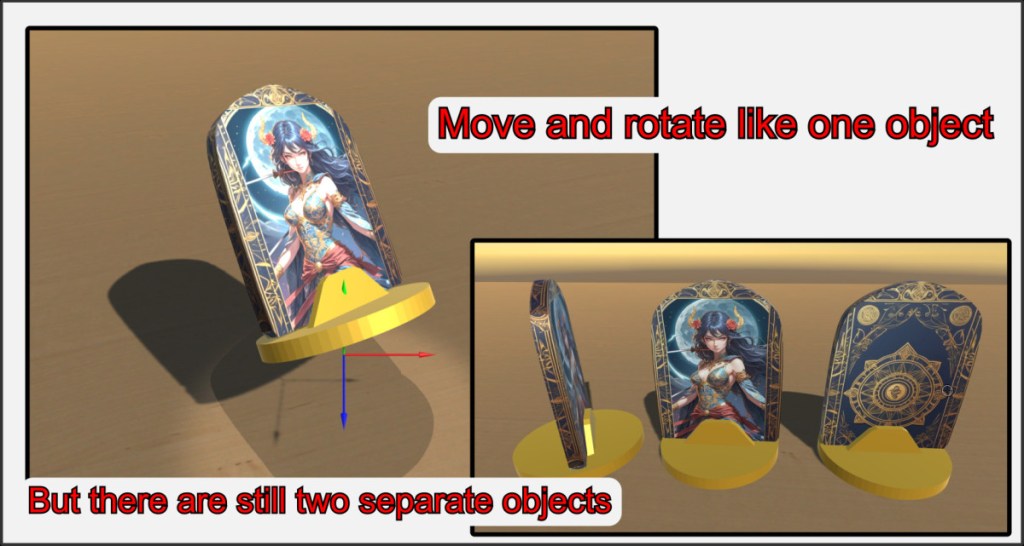
The two objects can now be moved and rotated as one object. The pivot point is always that of the main object. However, they are still two separate objects that can be edited individually.
Bonds cannot be saved as individual objects in a VBO. Save such connections as VBG and use the merge function. Bonded objects are subject to some restrictions in the VBR, such as throwing or stacking.
Avoid re-gluing connected objects.

