
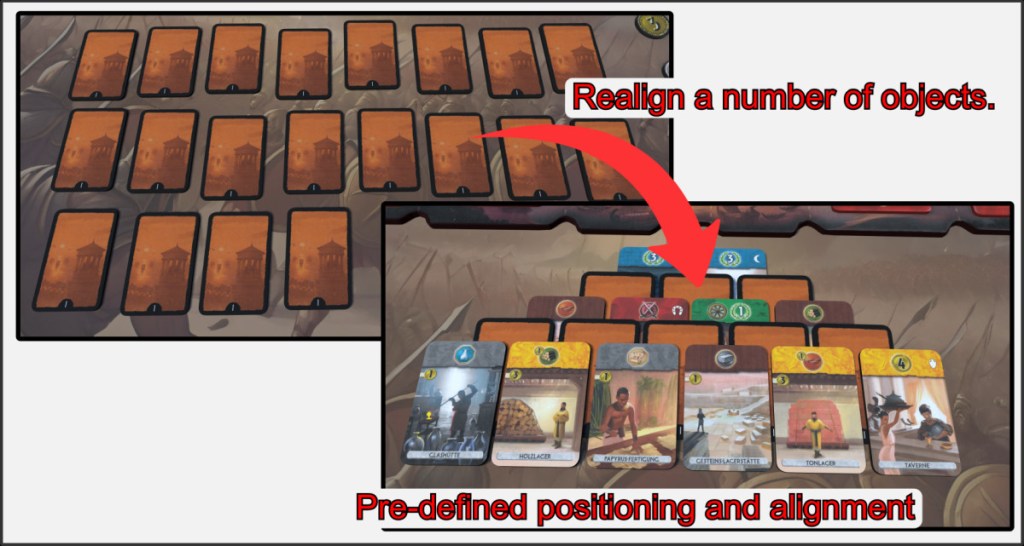
The Grid Maker is a very special function for saving and loading object formations in a room. This is useful if you want to arrange many individual objects in a certain pattern or starting position that you have previously determined. In the example above, 20 cards are to be arranged according to a specific scheme.
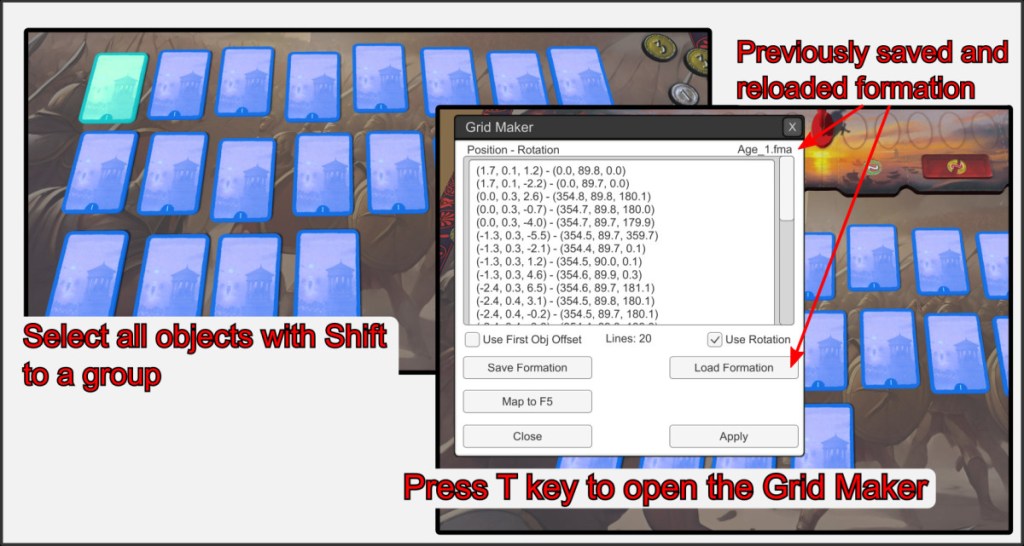
First select all objects using the shift key. Then press the T key on one of the objects for the action menu. In this case, the Grid Maker opens. Here you can view, edit and save the current formation. Formations are always indicated with the extension .fma.
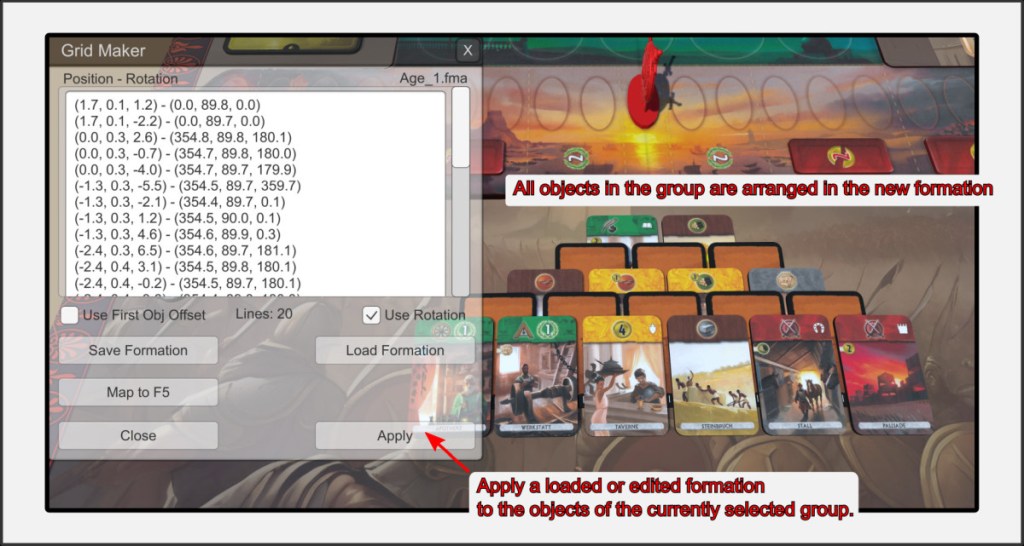
After you have modified or loaded the formation, press the Apply button to apply it to the objects that are still selected. Make sure that you do not leave the group selection while editing the formation in Grid Maker. Only selected objects will be affected.

